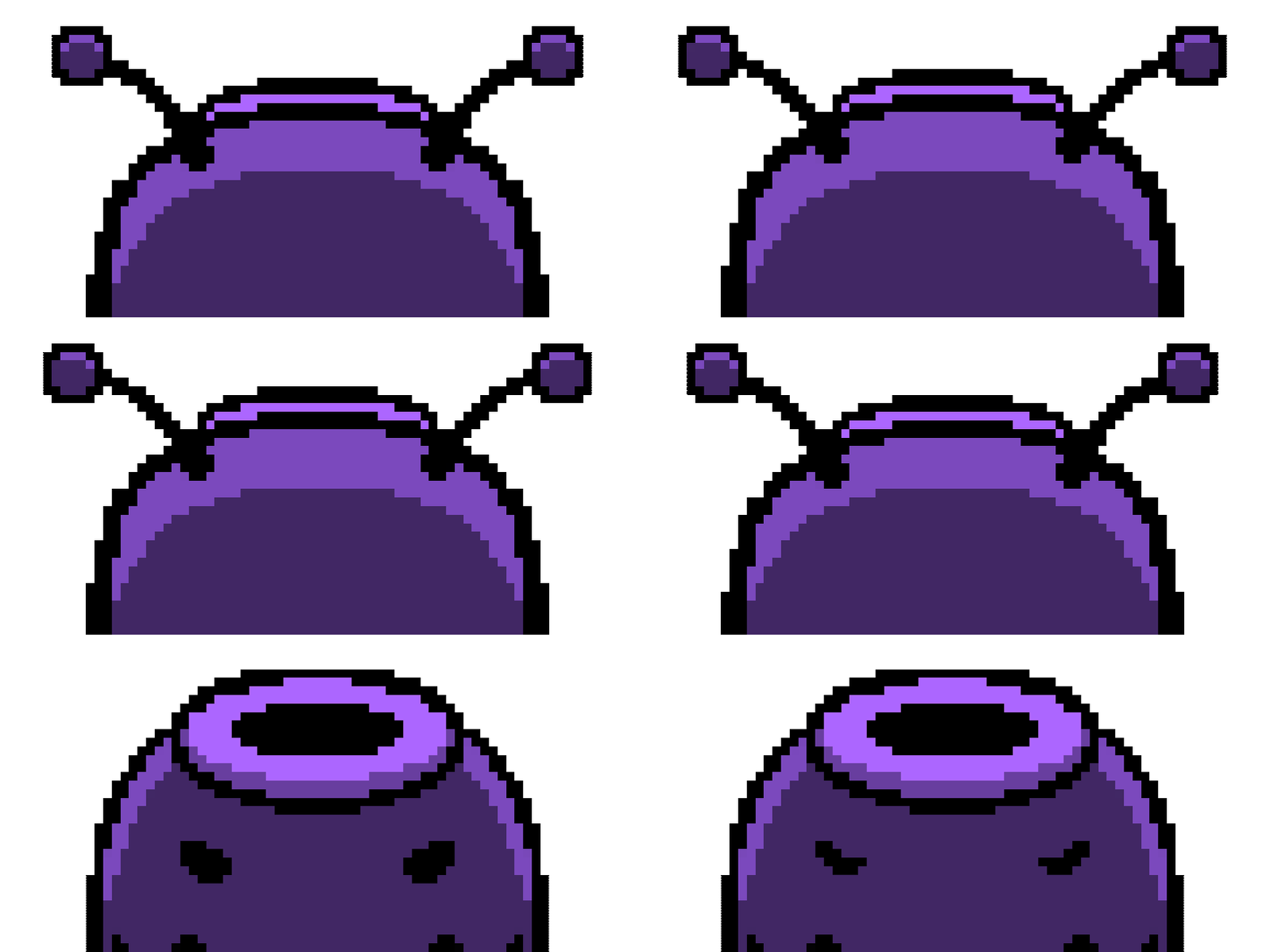
Project Nasu
Project Nasu is a 2D action puzzle platformer developed as my Freshman game project. My primary goal as the Content Lead was to establish a cohesive, arcade-style experience that was instantly readable to the player. The game was successfully published to the DigiPen Game Gallery and Steam, where it achieved over 30 positive reviews. The game has been showcased at PAX West and also received a $100 honorarium from Foundry10 K-12 audio workshops.
Project Details
Type: Game Project
Engine: Unity
Duration: 5 months
Team Size: 3
Platform: PC (Steam)
Year: 2023
Key Contributions
-
Visual Direction & 2D Art: Created all 2D pixel art for the game, including character sprite sheets, environment tiles, and UI elements, to establish a vibrant, arcade-style aesthetic.
-
Menus & Level Select Screens: Built the complete front-end experience, including the main menu and level selection navigation using Unity Visual Scripting.
-
HUD & Results Screen: Programmed a dynamic ammo counter to track the player's double jumps, and a post-level results screen to display score metrics and encourage replayability.
-
Cutscene System: Engineered a custom, slideshow-style cutscene system driven by state machines to handle the game's story sequences.
-
Hazard Design & Signifiers: Designed color-coded enemies and interactive elements (such as varying laser patterns) so players could instantly recognize different threat behaviors.
-
Playtesting & Iteration: Gathered player feedback throughout development to refine the game's pacing and ensure that visual signifiers for hazards were actually readable during gameplay.
-
Steam Release Assets: Created and formatted all the required store images for Steam, including capsule art, library logos, and promotional screenshots.

Team: Goofy Goose
-
Jake DeLuise: Design Lead & Level Designer
-
Jared Callupe Lopez: Content Lead & UX/UI Designer
-
Jonathan Frame: Audio Lead View Portfolio
-
Taylor Cadwallader: Producer & Tech Lead View Portfolio
As a four-person team, we split the work so everyone could focus on their strengths. Taylor programmed the player movement and core mechanics, while Jake designed and implemented all 15 levels, and I handled the game's visuals, creating the 2D art and UI. After we submitted the game for our final class grade, we decided to take it a step further and publish it to Steam. That's when Jonathan joined the team to create brand-new sound effects for the public release.
Character Design: Visual Signifiers in Action
Since Project Nasu is a fast-paced platformer, players need to instantly understand what is dangerous and how their character is reacting. I created Nasu's sprite sheet to clearly show different states, such as walking, recoiling, and respawning, so the animations feel responsive once hooked up in Unity.
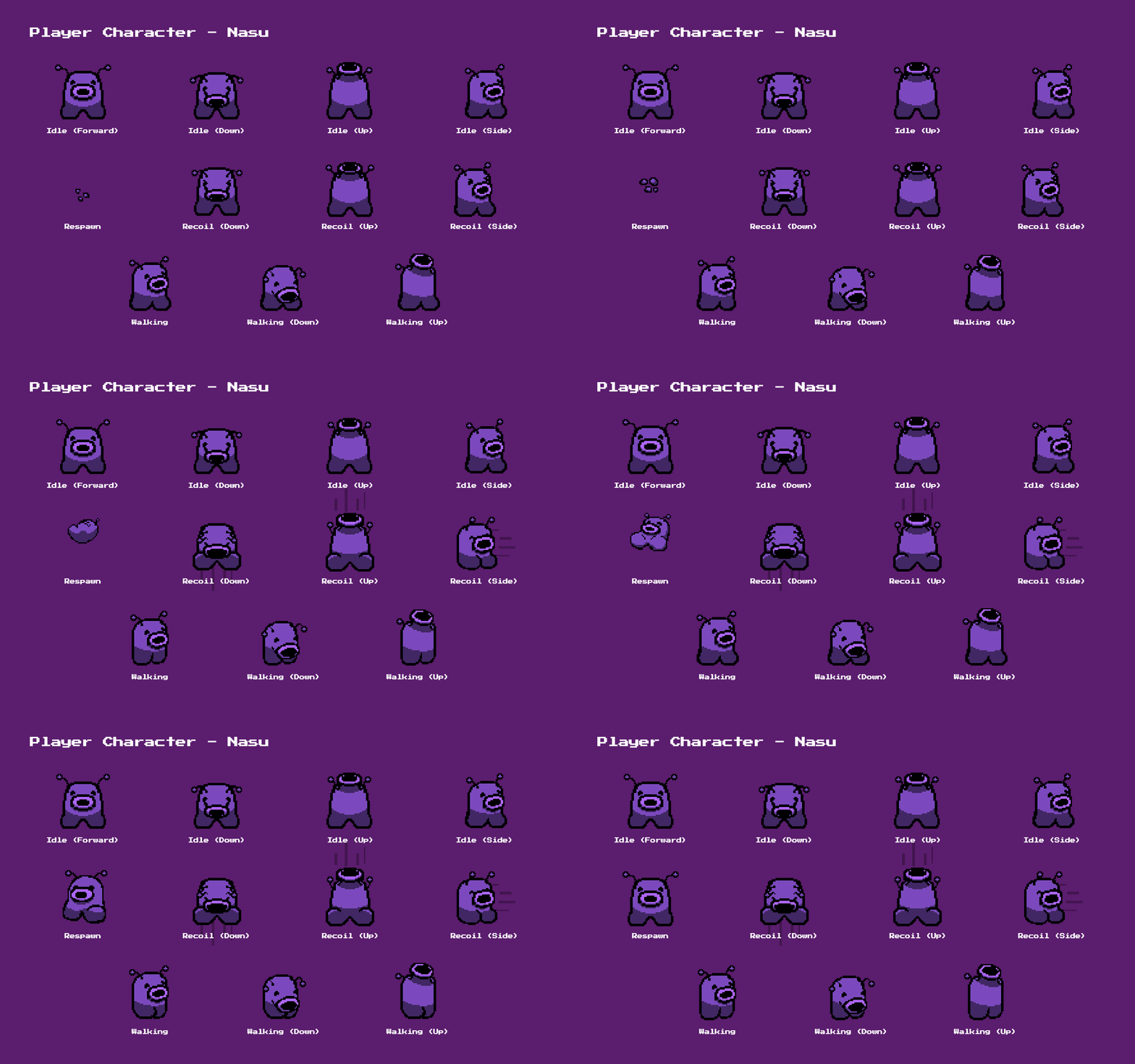
Nasu's core animation states

Nasu's movement and recoil states in action
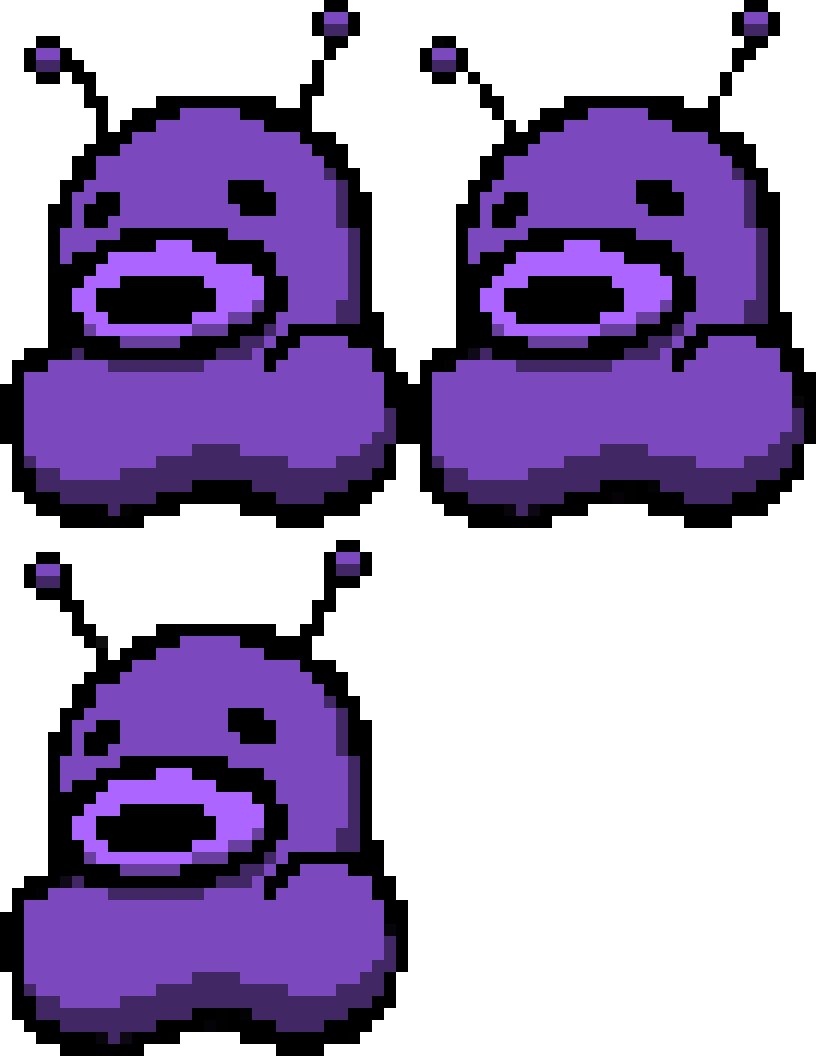
For the enemies and environmental hazards, I focused heavily on readability. I designed the different obstacles, like the laser bases and enemies, using distinct shapes and color-coding. This way, players could immediately tell how an obstacle was going to behave (e.g., whether a laser is static or rotating) before they even touched it.
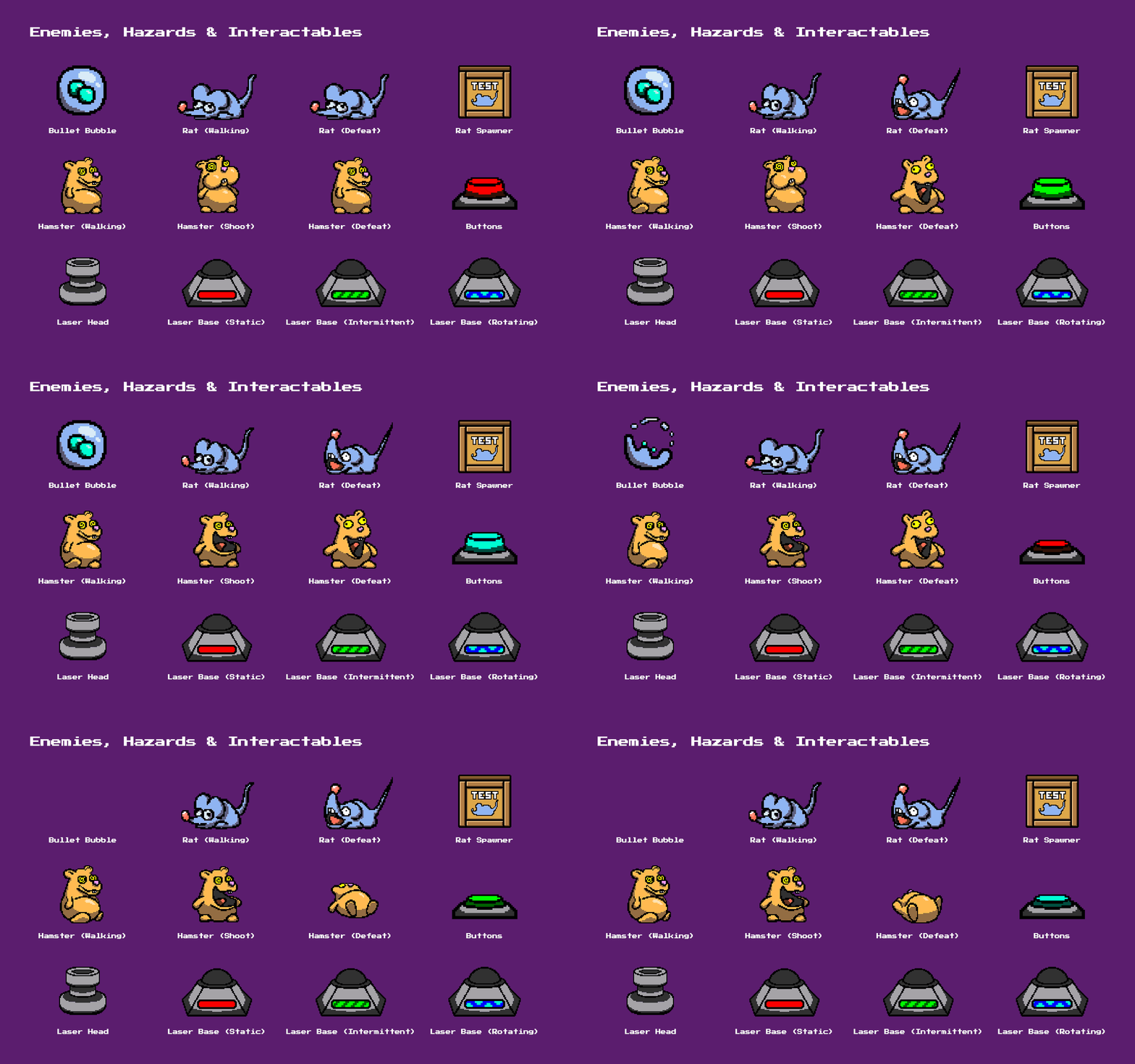
Enemy and hazard designs used to communicate behavior instantly
Designing the UI: The Mascot
For the in-game HUD, my primary mechanical goal was ensuring players could track their double-jump ammo without looking away from the action, which led to the creation of the dynamic "snot meter". The looping dripping animation catches the player's attention and reinforces the limited ammo mechanic.
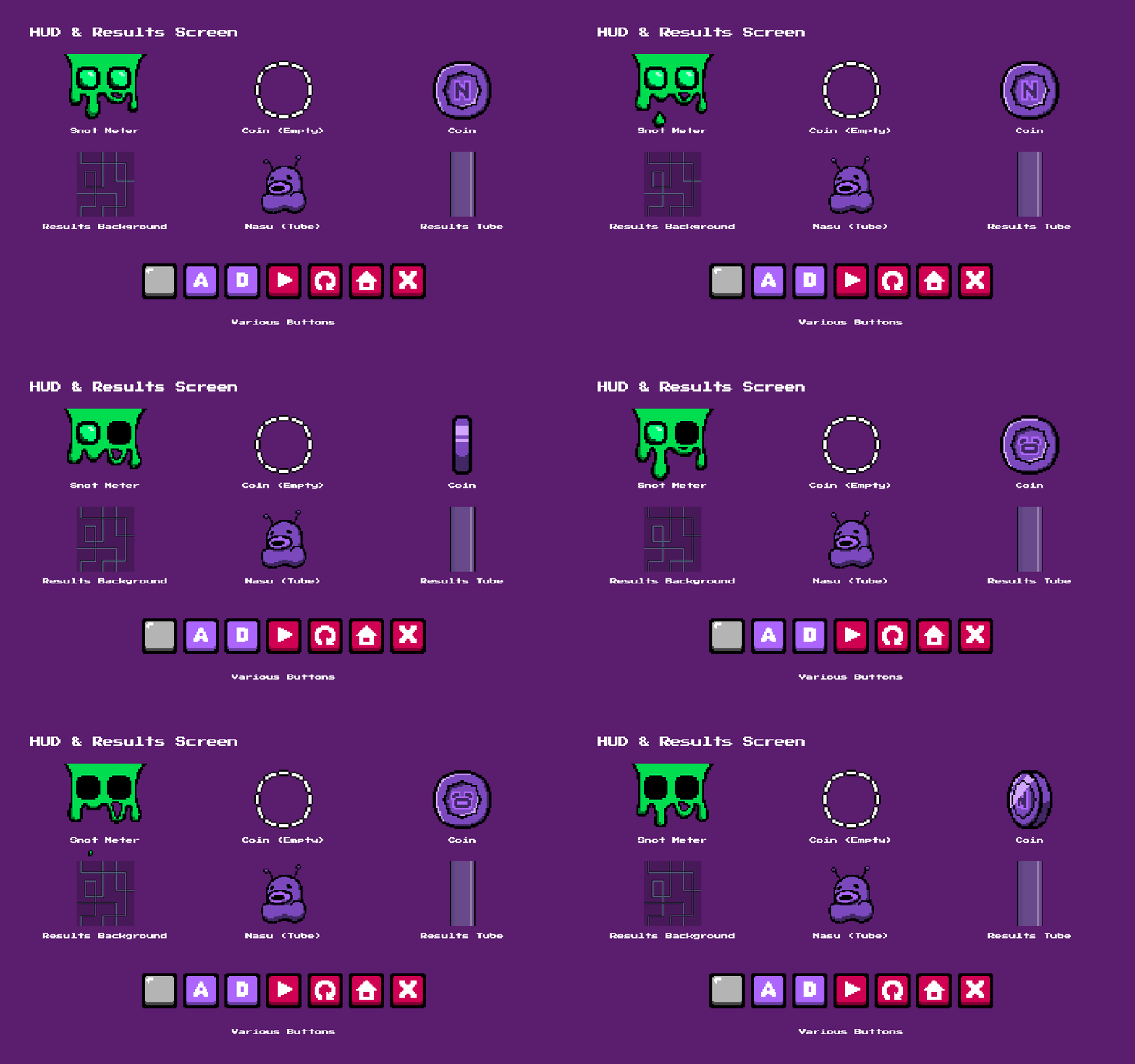
In-game HUD and post-level results screen UI elements

The "snot meter" dynamically tracking ammo during gameplay
However, my favorite aspect of the UI is the Results Screen. I wanted to reinforce Nasu as a mascot and companion, so I designed this screen to act as a literal, physical transition between levels. You can see Nasu travelling through the facility's tubes, looking directly at your performance and making a happy success sound when you proceed. I even tied this UI directly into the game's narrative: after beating the final level, the results screen tube is completely empty, showing the player that Nasu has finally escaped the facility.


The standard results screen vs. the Level 15 results screen, where Nasu has finally escaped the facility
Front-End UI: Bringing Nasu to Life
I carried that same mascot focus into the front-end architecture. I wanted Nasu to feel alive and interactive before the game even started. If the player lingers on the Main Menu, the Nasu embedded in the game's title logo will occasionally blink, wiggle its antenna, and smile at them.
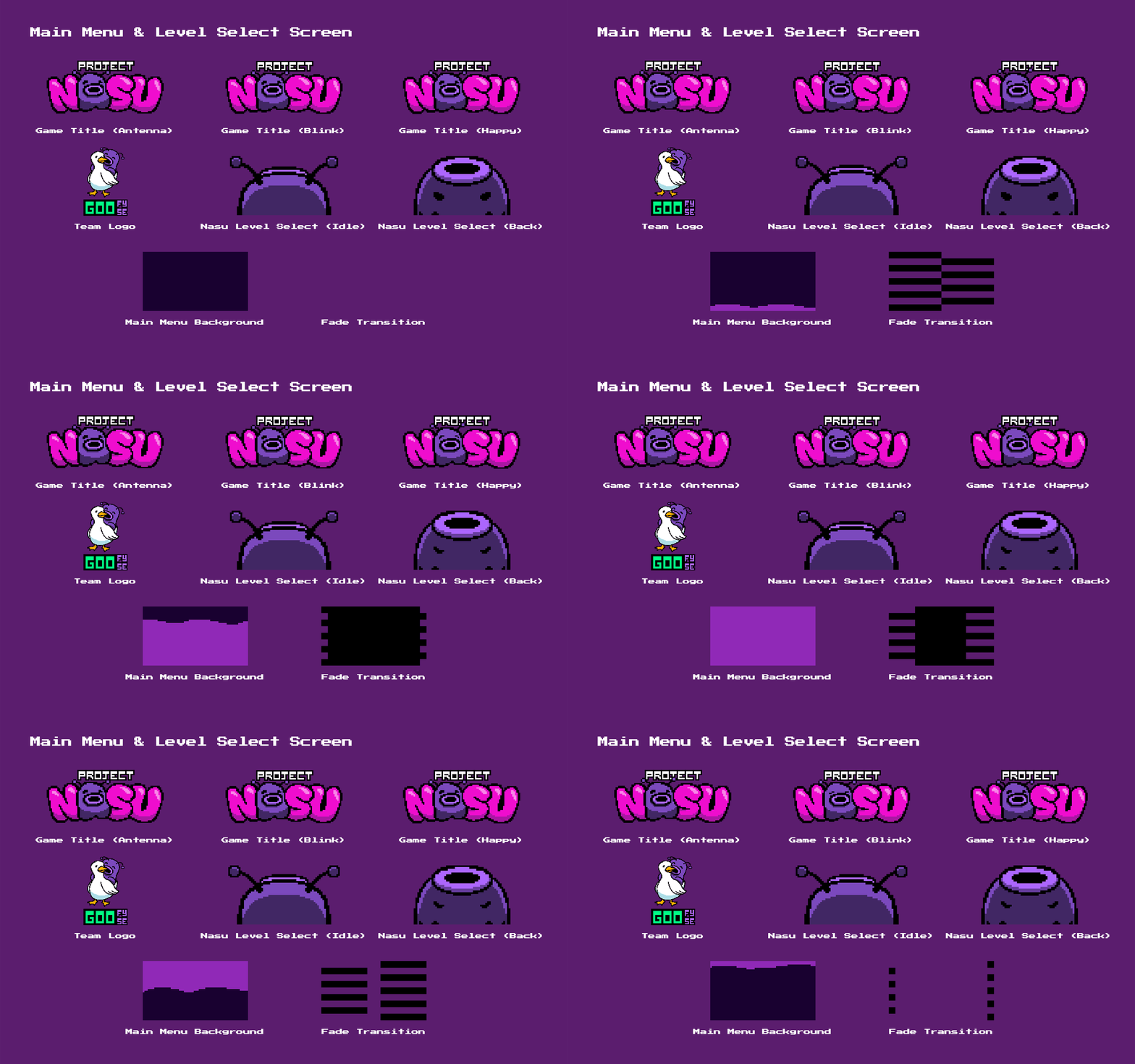
Front-end UI assets, featuring Nasu's idle animations in the game title

Main menu animations in action

Timing Nasu's idle animations using Unity's animation timeline
Similarly, in the Level Select screen, Nasu sits at the bottom of the UI, looking back and smiling to eagerly prompt the player to jump into the action. Building these menus using Unity's built-in systems allowed me to easily manage these idle animations, state transitions, and screen fades.

Nasu looking back and smiling at the player in the Level Select screen
Publishing: Steam Store Assets
Taking a project all the way to a commercial storefront like Steam requires not only a good product, but a completely different set of deliverables. I was responsible for producing the entire suite of marketing and branding assets required for our Steam release.
This meant designing and formatting all the specific store capsules, library hero art, community icons, and promotional screenshots to meet Steam's strict resolution and aspect ratio guidelines. It was a great experience learning how to adapt my in-game pixel art into marketing materials that would stand out on a crowded digital storefront.


The complete suite of Steam store assets, including capsules, library artwork, and promotional screenshots
Post-Mortem: The First of Many
Project Nasu was my Freshman game project and my first deep dive into the Unity game engine. Taking this game all the way to a commercial Steam release was a massive learning experience that fundamentally shaped how I develop games today:
-
Asset Pipelines & Optimization: Because I was new to the engine, I intially drew and exported every single animation frame as an individual image file from Procreate. I didn't yet realize Unity could automatically slice a single, optimized spritesheet! Looking back, this taught me exactly why proper asset pipelines, texture atlases, and industry-standard tools are so crucial for both memory optimization and team workflow.

Individual coin sprite assets instead of a single spritesheet
-
The Animator Spiderweb: When I first hooked up Nasu's animations, I didn't fully grasp how to utilize Unity's "Any State" node. The result was a tangled messy web of transition arrows where every state manually connected to every other state. Today, I know how to build clean, scalable animation controllers using proper sub-state machines.

Nasu's animator controller
-
From Visual Scripting to C#: This was my first and only visual scripting project. Building the menu architecture and cutscene systems visually taught me the absolute fundamentals of programming logic, like execution flow, variable management, and, most importantly, state machines. It served as the perfect bridge, making my transition into writing raw C# for my later projects incredibly smooth.

Coin collectible state machine graph
-
Discovering My Specialization: Before this project, I had only used Unity for very basic prototypes. Being responsible for the HUD, menus, and front-end architecture sparked a genuine passion for technical UI implementation. It was on this project that I learned to love the problem-solving aspect of UX/UI, which ultimately became my core discipline.
-
Public Showcases: Seeing Project Nasu played live by attendees at the DigiPen PAX West booth was genuinely surreal. Watching real players interact with Nasu was the ultimate validation of our team's hard work. On top of that, the game was awarded an honorarium from foundry10's K-12 audio workshops. Together, these milestones taught me the immense value of putting your work out into the real world and seeing how it resonates with a live audience.
Project Nasu played live at the DigiPen booth at PAX West 2024
Play The Game!
If you would like to see my work in action, Project Nasu is available to play for free on Steam! I am incredibly proud of what our team accomplished for our Freshman project. If you decide to give it a try, I would absolutely love it if you left a review or reached out to me directly. I am always excited to talk about this game, my design process, or game development in general, so please feel free to connect!